How to turn an old laptop into a home server (and what it should never do)
Havenfold team ·
An old laptop can become a useful home server: install a server Linux, stop it from sleeping, keep the battery from sitting at full charge, encrypt the disk and open nothing to your home network that you did not choose. The harder part is what it should never do, and that is where most guides are too brief.
This post walks through both, then shows how Havenfold's installer writes these choices down. Havenfold is pre-alpha: do not use it for real data, and its installer has so far been tested only in a virtual machine.
Why an old laptop is a reasonable server
A laptop that still boots already has what a small server needs: a processor that sips power at idle, a screen and keyboard for the rare moment something goes wrong, and a built-in battery that rides out a short power cut. Many homes have one in a drawer.
What it lacks is the right defaults. A laptop is tuned for a person carrying it around: it sleeps when the lid closes, charges the battery to the top, and often has a desktop and services you will never use on a server.
Step by step: the general recipe
These steps apply whatever software you plan to run.
- Back up and wipe. Copy anything you want to keep, then reinstall from scratch. You do not want an old user account, browser sessions or saved passwords on a machine that stays on all the time.
- Install a server distribution. Ubuntu Server is a common choice; a server install has no desktop and fewer moving parts.
- Encrypt the disk. A home server holds data, and a laptop is easy to carry away. Full-disk encryption means a stolen machine does not hand over its contents.
- Turn off sleep on lid close. On systemd-based distributions, logind.conf decides what happens when the lid closes or the machine is idle. Set those actions to ignore, and mask the sleep targets so nothing puts the machine to sleep by accident.
- Limit battery charging. A laptop that lives on the charger does not need a full battery. If your hardware supports it, Linux exposes a charge threshold in /sys/class/power_supply/; the kernel documentation describes it as the level "above which charging will stop". Some machines only offer this as a setting in the firmware (BIOS).
- Turn on security updates. Automatic security updates keep a machine you rarely log into patched. Decide whether it may also reboot by itself, or whether you will do that.
- Prefer a cable. Wired networking is more predictable than Wi-Fi for a machine that should always be reachable.
What an old laptop server should never do
This is the list that matters more than the setup steps.
- Never open ports to the internet just to reach it from outside. Port forwarding on your router puts the machine directly in front of everyone. If you need remote access, use something built for it rather than an open port.
- Never expose services to the home network by default. Every device on your Wi-Fi, including a guest's phone or a cheap smart plug, can reach whatever the server offers. Start with nothing open and add only what you need.
- Never keep the only copy of something important on it. A home server sits in the home. A fire, a flood, a theft or a dead disk takes it, and what's on it, with it. Important files need a second copy somewhere else.
- Never run it unencrypted. See above: laptops walk away.
- Never announce who lives there. A hostname like "smith-family-server" is visible on the home network. A neutral name gives nothing away.
- Never leave it on the old desktop install. A desktop session, auto-login and old browser data are all things a server does not need.
How Havenfold's installer writes these choices down
Havenfold turns the devices a family or a small business already owns into their own end-to-end encrypted cloud, with no accounts and no centre. An old laptop converted to Linux can be the family's main worker and can act as a "box", a member that stays on, carries traffic and holds sealed copies but never sees content. The project overview lists the minimum for a worker as "x86-64 or ARM64, 4 GB RAM, 64 GB disk".
The settings above are not left to memory. RFC-0007, the design document for the node and its installation, has a section on turning a laptop into a server that lists exactly what the installer changes:
- The lid switch, suspend and hibernate keys and idle action are set to ignore, and the sleep targets are masked.
- The screen backlight turns off on its own.
- A battery charge limit is set through the kernel's standard interface where it exists, then through a known vendor driver; if neither exists, the device shows a "no battery limit" warning and suggests the firmware setting.
- Security updates are installed automatically, but the machine does not reboot itself; reboots are ordered by the supervisor.
- On Intel processors, a thermal daemon is installed.
- The hostname is random, so the family's name is not visible on the home network, and no mDNS service is installed.
- The firewall drops incoming traffic except established connections and the core's own peer-to-peer port. The RFC puts it plainly (translated from Turkish): "There is no service open to the home network."
- A wired connection is preferred; on Wi-Fi, the device reports it as a warning.
For a machine that already runs Ubuntu Server 24.04, the README describes a script that installs the node software, and says that "the script header lists exactly what it changes and how to remove it". For new machines, the Installer USB installs everything, including disk encryption bound to the TPM chip.
Where this honestly stands
- Pre-alpha. Do not use Havenfold for real data. Interfaces and formats may change until the first tagged release.
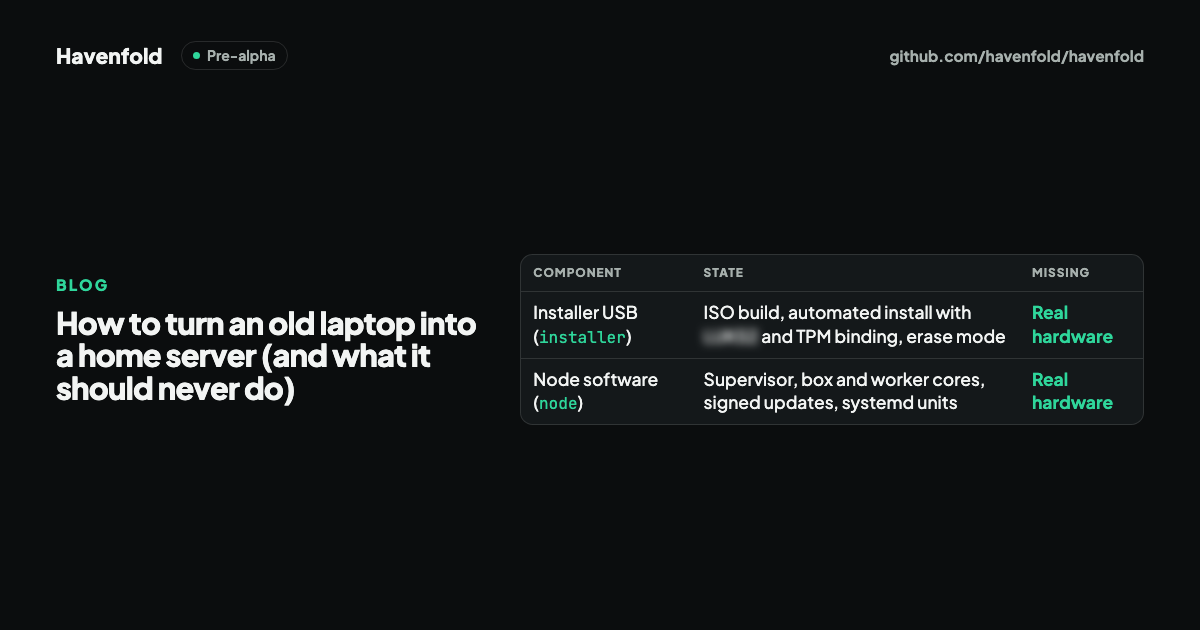
- Virtual machine only. The Installer USB has been built and installed end to end on GitHub Actions in a virtual machine, but not yet on real hardware. The installer's own notes list what remains.
- Not yet in a real home. Havenfold has not yet run in a real home, and there has been no independent security audit.
- Needs a TPM. A Family Box today needs Ubuntu Server 24.04, a TPM 2.0 chip, and a phone running a Havenfold-based app, and the phone apps are not in the open repository.
If you want to turn an old laptop into a home server today, the general recipe above stands on its own. If you want to follow how Havenfold does it, or test it on a spare machine with throwaway data, the RFC and the installer notes are the place to start.
Summary
- An old laptop makes a reasonable home server once it stops sleeping, limits battery charging, encrypts its disk and runs a server install.
- What it should never do matters more: no open ports to the internet, no services open to the home network by default, no single copy of important data, no identifying hostname.
- Havenfold's installer writes these settings down in RFC-0007 and applies them automatically.
- Havenfold is pre-alpha, tested only in a virtual machine, and not for real data yet.
Havenfold is pre-alpha: do not use it for real data. It has not yet run in a real home, and there is no independent security audit yet.
Sources
- Havenfold README: Status and "Running a Family Box"
- RFC-0007: node, installation and updates, §10, laptop-to-server settings (Turkish)
- Havenfold overview: what each device can be
- Installer notes: what remains before real hardware (Turkish)
- Linux kernel documentation: sysfs-class-power, charge_control_end_threshold
- systemd: logind.conf
- Ubuntu Server: automatic updates